
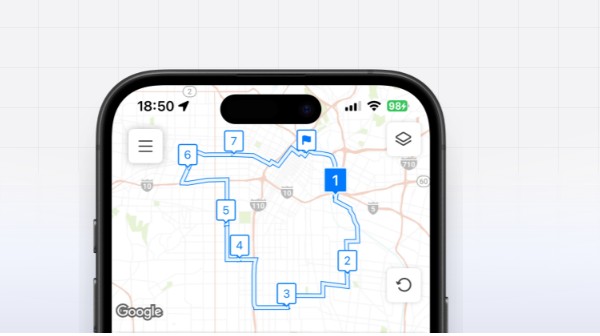
Delivery routing looks simple when a team has only a few addresses. The difficulty appears when dozens of stops, time windows, vehicle limits and last-minute changes have to fit into one working day. A multi-stop route planner helps organize that complexity, but useful routing is not just about drawing the shortest line on a map. It must also reflect how drivers, dispatchers and customers actually work.
Why the shortest route is not always the best route
A mathematically short route may send a driver through a congested district at the wrong hour, schedule a commercial stop after its receiving desk closes or place a difficult delivery at the end of a shift. Good planning therefore considers more than distance. Teams should review service windows, expected stop duration, loading sequence, road restrictions and the amount of buffer needed for uncertainty.
The objective is a route that can be completed reliably. Saving five miles has little value if the plan creates three late deliveries or forces the dispatcher to rebuild the route halfway through the day.
Start with accurate address and stop data
Route quality depends on input quality. Misspelled addresses, missing unit numbers and unrealistic service times quickly weaken an otherwise sound plan. Before optimization, dispatch teams should standardize address entry, identify recurring locations and record practical notes such as loading dock access, parking limitations or customer call-ahead requirements.
Stops should also be classified. A parcel drop may take two minutes, while an installation or wholesale delivery may take thirty. Applying one default time to every stop produces a schedule that looks efficient on screen but fails in the field.
Keep drivers involved in the planning process
Experienced drivers know where navigation data is incomplete. They may recognize school-hour congestion, difficult turns, gated entrances or roads that are technically open but unsuitable for a larger vehicle. A useful delivery route planner should allow dispatchers to adjust stop order and should make it easy for drivers to report what happened.
This feedback creates a practical improvement loop. Planned arrival times can be compared with actual times, recurring delays can be identified and service-time assumptions can be corrected. The result is not merely a faster route; it is a planning process that becomes more accurate each week.
Plan for changes instead of treating them as exceptions
Same-day orders, customer cancellations and vehicle problems are normal in delivery operations. Teams should decide in advance how they will handle them. One approach is to keep a small amount of capacity unassigned. Another is to identify which stops can move without breaking a promise. When a new stop is inserted, the dispatcher should assess the effect on the entire route rather than only the distance to the nearest driver.
Measure outcomes that matter
Miles per route is useful, but it should be reviewed together with on-time completion, stops per paid hour, failed delivery rate, overtime and customer complaints. A plan that reduces mileage while increasing failed deliveries is not an improvement. The best routing setup supports both operating cost and service quality.
A practical evaluation checklist
Before adopting a route planner with multiple addresses, test it with real routes rather than a small demonstration list. Check address import, stop editing, mobile usability, route sharing and the speed of recalculation. Ask drivers whether instructions are clear and ask dispatchers how quickly they can respond to a change. A route planning tool earns its place when it reduces daily coordination work and helps the team deliver a more predictable service.